
Discover Panel and quick actions in Photoshop
Designed an in-context guidance system that helps Photoshop users move from stuck to capable without leaving the application.
Shipped 21 quick actions across two releases. Drove $15.5M in measurable impact.
Search | Discoverability | Systems Design
Company Adobe Inc.
My Role Lead UX Designer - Strategy, Systems & Interaction Design
Timeline April 2019 – November 2021
Team Search & Discover Design, Design Research, Product Management, Engineering, Content Strategy, International Design, Adobe Spectrum
Impact 21 quick actions shipped. $15.5M revenue uplift. Feedback pattern published as a Spectrum contribution. Framework expanded to Illustrator.
Project Overview
Photoshop (Ps) is a powerful photo editing and compositing software - an industry standard for digital art - enough for the name to be used as a verb.
Along with its capabilities, its complexity has grown over the past 33 years, creating a steep learning curve for new creative enthusiasts.
The previous in-app search capability was limited, and often led to a dead-end for users seeking answers within the context for their task and workspace. The Discover Panel aims to unblock users when they’re stuck, and unlock the power of photoshop through an enhanced search and value-discovery experience.
My Role
Launched the Discover Panel, including 4 quick actions, and a feedback component in Photoshop CC 2021
12 quick actions shipped in Photoshop CC 2021 contributed to a $15.5M revenue uplift. The system expanded to Illustrator the same year.
Facilitated a cross-functional workshop with 16+ stakeholders to align on AI assistant strategy — this session directly shaped Adobe's intelligent assistant framework and unlocked roadmap decisions.
Designed 4 high-fidelity prototypes for user research studies
Authored thefeedback design pattern as a Spectrum contribution - the component now scales across Adobe product teams beyond Search and Discover.
Leveraged organizational and project management skills to establish the team’s first JIRA board and drafted the Search & Discover team’s design process and best practices.
Project Outcome
A unified and cohesive search & discovery capability, that's easily accessible, providing a seamless way for users to find and consume contextually relevant content right inside the creative application.
The Discover Panel leverages Adobe Sensei's AI and Machine Learning technology to drive suggestions, and, packages hidden, high-value Photoshop features as “Quick actions” by simplifying complex tasks into one-click actions tied to relevant tools and in-app learning.
The panel leveraged Adobe Sensei's ML capabilities for quick action suggestions – a design problem that required thinking about how to make AI output feel contextual and trustworthy rather than random.

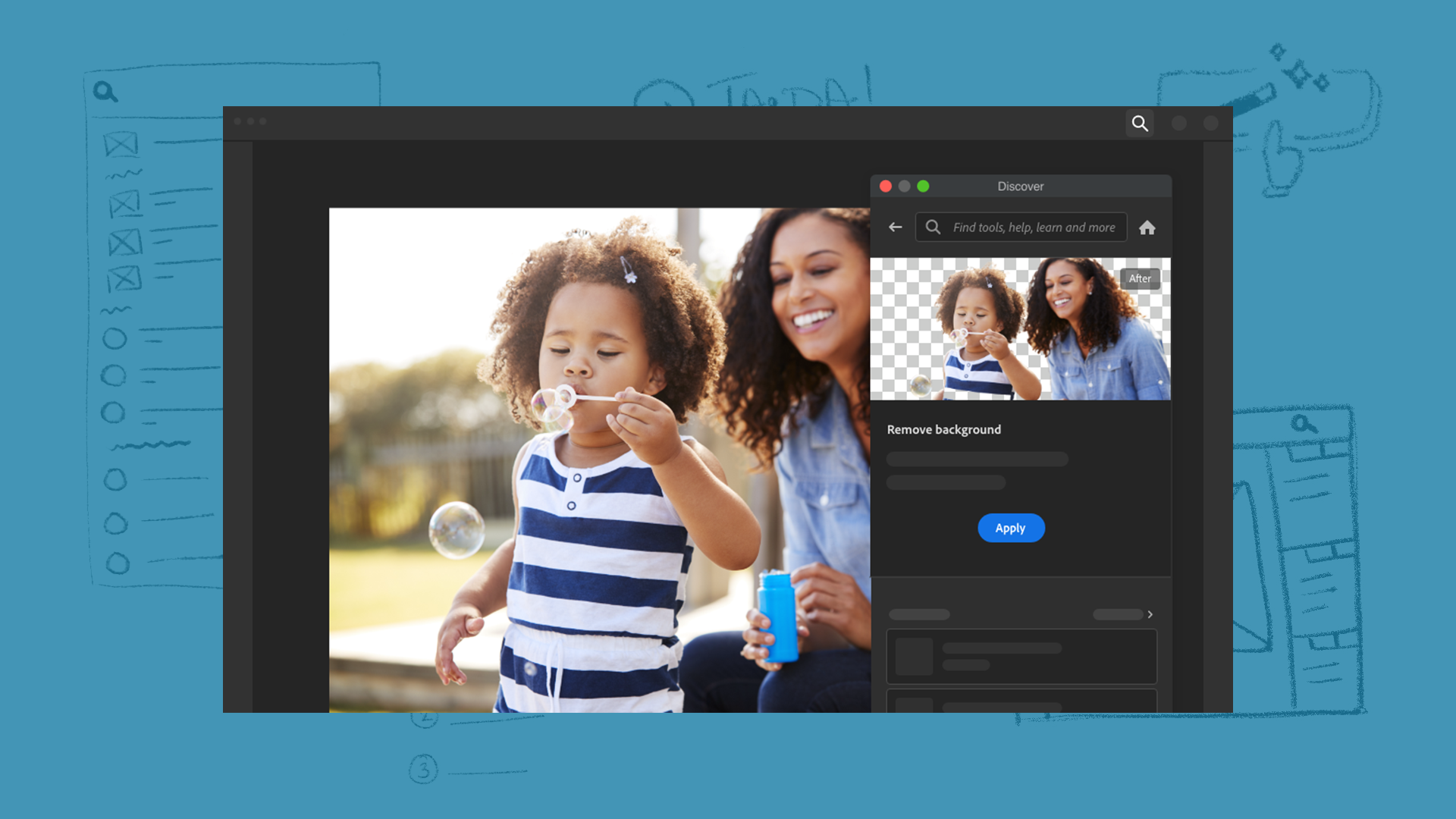
A quick video demo of an abstracted Discover Panel and the ‘Remove background’ quick action in Photoshop CC 2021.
Discover Panel
Oftentimes, creative enthusiasts want to ‘Photoshop’ something simple, for example removing a busy background from a portrait image. Some problems that they run into:
Not knowing where or how to start in Ps
Being unable to find the relevant tool or feature
Being unaware of less complex apps within Adobe’s Creative Cloud suite for their task
Switching between a web article or YouTube video and the Ps app for guidance
Giving up when they get stuck, or if the task is taking too long
The Discover Panel’s search capability, help content library, and curated quick actions aimed to alleviate some of these problems.
Making the panel persistent and dockable — rather than a search overlay — was a deliberate architectural decision. It positioned discovery as part of the workflow rather than an interruption to it, and it gave us a scalable surface to add capability over time without redesigning the core Photoshop UI.

Cognitive load of Photoshop reduced by search, learn and quick actions in Discover Panel


Quick actions
A user can now navigate to, or search for the ‘Remove background’ quick action and have a background-free portrait in seconds.
I led design and strategy for 20 quick actions in 2021, aimed at making features more discoverable, automating creative workflows, connecting tasks to relevant help content, improving engagement, and keeping edits non-destructive.
One-click actions that delivered an immediate, non-destructive result lowered the activation barrier dramatically and tied feature discovery directly to task completion.

The magic of one-click tasks


Feedback pattern
A new content discovery experience requires feedback from users to
improve the quality and relevancy of content
reveal unmet user needs in the experience
pinpoint opportunities to improve the experience
I was responsible for designing the feedback pattern to scale across different content types within the Discover Panel. This humble component lead me to constantly observe feedback gathering experiences around me - from dismissing a newsfeed article, to liking in-app informational content, and even longer form feedback on search results.
The final designs focused on:
quick and simple binary responses
optional open text fields for users to add details
multiple choice responses when relevant
an in-panel survey for more descriptive feedback
The pattern was published as an Adobe Spectrum contribution, visible internally on Adobe's contributions page.


Learnings
This project required me to operate well beyond a traditional design scope. Without a dedicated PM for much of it, I took on release strategy, engineering feasibility conversations, and cross-team content coordination alongside the design work - wearing the program manager's hat taught me that planning and organization are as central to keeping teams on track as the design decisions themselves.
What I learned is that design leadership at this level isn't just about the quality of your outputs - it's about keeping a complex, cross-functional system moving when the people and processes around you aren't stable. I got comfortable making consequential decisions with incomplete information, documenting my rationale clearly enough that stakeholders could stay aligned without needing to be in every conversation.
Looking back, three things would have made this stronger:
tighter feedback loops between design decisions and usage data,
better onboarding and awareness of the panel itself - it could only help the users who found it
treating content and design as a single workstream from day one
planning and organization are at the heart of keeping teams on track
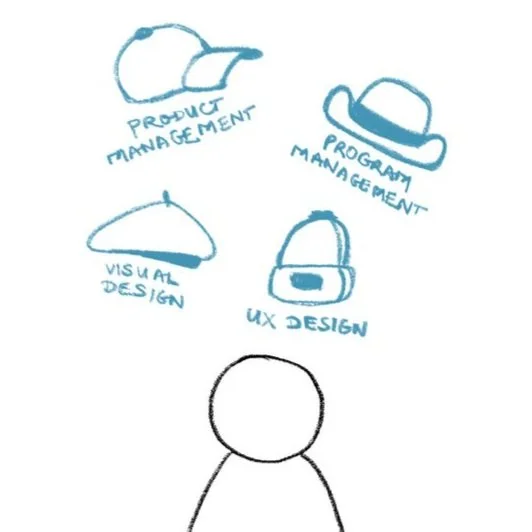

Chai’s Product Tripod - Process is the foundation
View more work: